
.png)
Description
Download GOAT AI Summarizer – Fast, Secure Text Summarization Tool
Overview
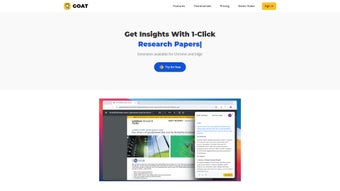
GOAT AI Summarizer is a web‑based application that leverages cutting‑edge machine learning and Natural Language Processing (NLP) to transform long passages of text into concise, easy‑to‑read summaries. Whether you’re a journalist racing against a deadline, a researcher sifting through academic papers, a lawyer reviewing contracts, or a student trying to grasp lecture notes, GOAT AI Summarizer cuts down reading time dramatically while preserving the core meaning of the original material. The platform operates entirely in the cloud, meaning there’s no heavy software to install, and the summarization engine is constantly updated with the latest language models to stay accurate and relevant. Its intuitive drag‑and‑drop interface welcomes both novices and seasoned professionals, allowing you to paste or upload documents, select the desired summary length, and receive a polished output within seconds. Security is a top priority: all text is encrypted in transit, and the service does not retain user data after the session ends, ensuring confidentiality for sensitive documents. In short, GOAT AI Summarizer combines speed, accuracy, and privacy into a single, user‑friendly tool that can boost productivity across a wide range of industries.
Key Features That Make GOAT AI Summarizer Stand Out
- Advanced NLP Engine: Powered by state‑of‑the‑art transformer models, the summarizer understands context, tone, and nuance to produce summaries that read naturally.
- Customizable Summary Length: Choose from concise (1‑2 sentences), medium (a short paragraph), or detailed (multiple paragraphs) outputs to fit your specific need.
- Multi‑Format Support: Summarize plain text, PDF, Word documents, and even web URLs without leaving the platform.
- Batch Processing: Upload up to 20 documents at once and receive a single downloadable ZIP file containing all summaries.
- Real‑Time Preview: See a live preview of the summary as you adjust parameters, allowing instant fine‑tuning.
- Secure Data Handling: End‑to‑end TLS encryption and automatic deletion of uploaded files after 30 minutes guarantee privacy.
- Cross‑Platform Accessibility: Works on any modern browser—Windows, macOS, Linux, Android, and iOS users can access the tool without additional software.
- Free Tier with Unlimited Summaries: The basic version is completely free, offering unlimited summarizations per month with optional premium upgrades for higher‑speed processing.
- Integration API: Developers can embed summarization capabilities into their own applications via a RESTful API with simple authentication.
- Continuous Updates: The AI model is refreshed monthly, ensuring improvements in accuracy, speed, and language coverage.
Installation, Compatibility, and Step‑by‑Step Usage Guide
Because GOAT AI Summarizer is a cloud‑based service, there is no traditional installation process. All you need is a reliable internet connection and a modern web browser. The application is fully responsive and works equally well on desktop and mobile devices.
Supported Operating Systems
The tool is compatible with the following platforms:
- Windows 10, 11 (any recent version of Chrome, Edge, Firefox, or Safari)
- macOS Monterey and later (Chrome, Safari, Firefox)
- Linux distributions with a recent Chromium‑based browser
- Android 8.0+ (Chrome, Firefox, or the built‑in WebView)
- iOS 13+ (Safari or Chrome)
How to Get Started
- Visit the Official Site: Navigate to goataisummarizer.com using your preferred browser.
- Create a Free Account: Click “Sign Up,” enter your email address, and set a password. You can also log in with Google or Microsoft accounts for quicker access.
- Upload Your Text: On the dashboard, you’ll see a large text box. Paste your article, copy‑paste a URL, or drag a file (PDF, DOCX, TXT) into the designated area.
- Select Summary Settings: Choose the summary length, language (supports English, Spanish, French, German, and more), and any optional filters such as “Focus on Key Points” or “Preserve Technical Terms.”
- Generate Summary: Hit the “Summarize” button. Within a few seconds, the AI processes the content and displays the result in the preview pane.
- Export or Share: Click “Download PDF,” “Copy to Clipboard,” or use the “Share Link” option to distribute the summary directly.
- Optional Premium Features: If you need faster processing or higher‑volume batch uploads, navigate to the “Upgrade” page and select a plan. All payments are secure via Stripe and support credit cards or PayPal.
For power users, the API documentation provides code snippets in Python, JavaScript, and Java, enabling seamless integration into custom workflows. The API key is generated from the user dashboard and follows standard Bearer token authentication.
Pros, Cons, and Frequently Asked Questions
Pros
- Lightning‑fast summarization with results in seconds.
- High accuracy thanks to the latest transformer models.
- Completely free tier with unlimited usage.
- Robust privacy – no data is stored after processing.
- Cross‑platform, works on any device with a web browser.
- Batch processing saves time for large projects.
- API access opens possibilities for developers.
- Regular model updates keep the tool current.
- Intuitive UI requires no training.
- Customizable summary length fits diverse needs.
Cons
- Requires an internet connection; offline use is not possible.
- Free tier may experience slower queues during peak times.
- Limited to languages supported by the underlying model.
- Advanced formatting (tables, code blocks) may be simplified in the output.
- Premium plans are subscription‑based, which may not suit occasional users.
FAQ
Is my data stored after I use GOAT AI Summarizer?
No. All uploaded documents are encrypted in transit and automatically deleted from the server after 30 minutes, ensuring that confidential information never persists.
Can I summarize content in languages other than English?
Yes. The current model supports Spanish, French, German, Italian, Portuguese, Dutch, and several other major languages. Language support continues to expand with each update.
How does the free tier differ from the paid plans?
The free tier provides unlimited summaries but may experience longer processing times during high demand. Paid plans offer priority queues, faster response times, larger batch uploads, and additional API call quotas.
Is there an offline version or desktop app available?
Currently, GOAT AI Summarizer is only available as a web service. The team is evaluating a desktop client for future releases, but the cloud approach ensures you always have the latest AI model without manual updates.
How can I integrate the summarizer into my existing workflow?
Use the RESTful API to send text or document URLs directly from your applications. The API returns JSON with the summarized content, which you can then store, display, or forward to other services.
Conclusion – Why You Should Download GOAT AI Summarizer Today
In an age where information overload is the norm, GOAT AI Summarizer offers a pragmatic solution that blends speed, accuracy, and security. Its free tier removes barriers for students, freelancers, and small teams, while the premium options cater to enterprises that demand rapid, high‑volume processing. The platform’s commitment to privacy—automatic deletion of data and end‑to‑end encryption—makes it suitable for handling confidential documents in legal or corporate environments. By delivering concise, context‑aware summaries in just a few clicks, the tool empowers users to focus on decision‑making rather than endless reading. Whether you’re drafting a news article, preparing a research briefing, or simply trying to keep up with industry reports, GOAT AI Summarizer is a reliable ally. Download now, create your free account, and experience a smarter way to read.
Guides & Tutorials for GOAT AI Summarizer
How to install GOAT AI Summarizer
- Click the Preview / Download button above.
- Once redirected, accept the terms and click Install.
- Wait for the GOAT AI Summarizer download to finish on your device.
How to use GOAT AI Summarizer
This software is primarily used for its core features described above. Open the app after installation to explore its capabilities.
User Reviews for GOAT AI Summarizer 0
No reviews found




